InvoicesCrafts
Prepare the invoice PDF before writing the email
Check the invoice against the agreed work: customer name, line items, invoice number, purchase-order reference, payment instructions and balance due. If the client has already paid a deposit, the email should quote the remaining balance rather than asking for the full invoice total again.
In InvoicesCrafts, complete your invoice, review the preview and use the template's print or PDF action to save the finished document. Open the saved PDF and check every page. Give it a recognizable filename such as INV-2026-0044.pdf, then attach that file in your usual email app. Saving the PDF is a separate step from sending the email.
Confirm the billing email address with your client, especially for a first invoice. A project contact and an accounts-payable contact may be different people. If the customer requires a supplier portal or purchase-order approval, follow that process as well and keep its submission reference with your invoice records.
Write a clear invoice email subject line
Use a subject that helps the client find the document later. A simple format is Invoice [Invoice number] from [Your business name]. Add a project name when it helps distinguish the work, but keep the invoice reference visible. For a monthly engagement, you can include the service period, such as October website maintenance.
Keep the email body short enough to scan. Identify the work, give the amount with its currency code, state the exact due date and explain where to find the payment instructions. The attached invoice can carry the detailed breakdown. Check that the email and PDF show the same reference, balance and date.
Use an exact date such as 11 November 2026 instead of a numeric date that could be read differently across countries. Base that date on the terms already agreed with the client. Before using any of the templates below, replace every bracketed field and adapt the wording to your relationship.
Template 1: sending a new invoice to a client
Use this message when the work or billing milestone is ready to invoice. The client gets the document, the amount to pay and a clear way to ask a question.
Subject: Invoice [Invoice number] from [Your business name] — [Project name]
Hi [Client name],
I've attached invoice [Invoice number] for [completed work or billing period]. The remaining balance is [amount and currency], due on [Due date].
The PDF includes the item breakdown and our agreed payment instructions. Please use [Invoice number] as the payment reference so I can match the payment to your invoice.
Please let me know if your billing team needs an additional reference or has any questions about the document. Thank you, [Your name] | [Your business name] | [Contact details].
Template 2: a polite reminder before the due date
If a reminder is appropriate for your client, send it with enough time for their approval process. Check your records first so you do not remind someone about a payment you have already received. Keep the existing invoice number and the agreed due date.
Subject: Upcoming due date: invoice [Invoice number] — [Due date]
Hi [Client name],
A quick reminder that invoice [Invoice number] for [work or billing period] has a remaining balance of [amount and currency], due on [Due date]. I've attached the invoice again for convenience.
Could you confirm that the invoice has reached the right billing contact and that you have everything needed to process it? If payment is already on its way, thank you; please share the reference so I can check it against my records.
Thanks, [Your name] | [Your business name] | [Contact details].
Template 3: following up after an invoice is overdue
After the due date has passed, check for recent or partial payments before writing. Quote the current outstanding amount and ask for a concrete update. The purpose of this message is to understand the payment status and resolve missing information.
Subject: Payment update requested: invoice [Invoice number]
Hi [Client name],
I'm following up on invoice [Invoice number] for [work or billing period], which was due on [Due date]. My records currently show [amount and currency] outstanding. I've attached a copy for reference.
Could you let me know the expected payment date, or whether there is a billing question I can help resolve? If you have already paid, please send the payment date and reference so I can reconcile the invoice.
Thank you, [Your name] | [Your business name] | [Contact details].
Keep replies, corrections and payment records together
Reply in the existing email thread when it helps preserve context. If the client says the invoice needs a purchase-order reference or a different billing contact, resolve that specific issue and confirm where the document should go. Keep a record of the change alongside the invoice.
If an amount needs correcting, make the revision clear in both your records and the message. Open the replacement PDF before attaching it, and identify which version the client should use. A reminder about an unchanged bill should still point to the existing invoice reference.
When a payment arrives, record it and review the remaining balance before the next follow-up. Sending the email does not establish that it has been approved or paid. If your email is returned as undeliverable, verify the address through your normal client contact before resending.
Use this checklist before you send an invoice email
A short final review keeps the message and attachment consistent. You can reuse this checklist for freelance projects, hourly work and regular service invoices.
- Confirm the client's billing address and any required submission process.
- Include the correct invoice number in the subject and message.
- Replace every placeholder in the email template.
- Match the work, currency, remaining balance and due date to the PDF.
- Attach the final PDF, open it and check that it belongs to the intended client.
- Confirm that the agreed payment instructions are present and readable.
- Keep the sent message and final invoice together, and update your payment records before following up.
Worked example: an email that matches the invoice
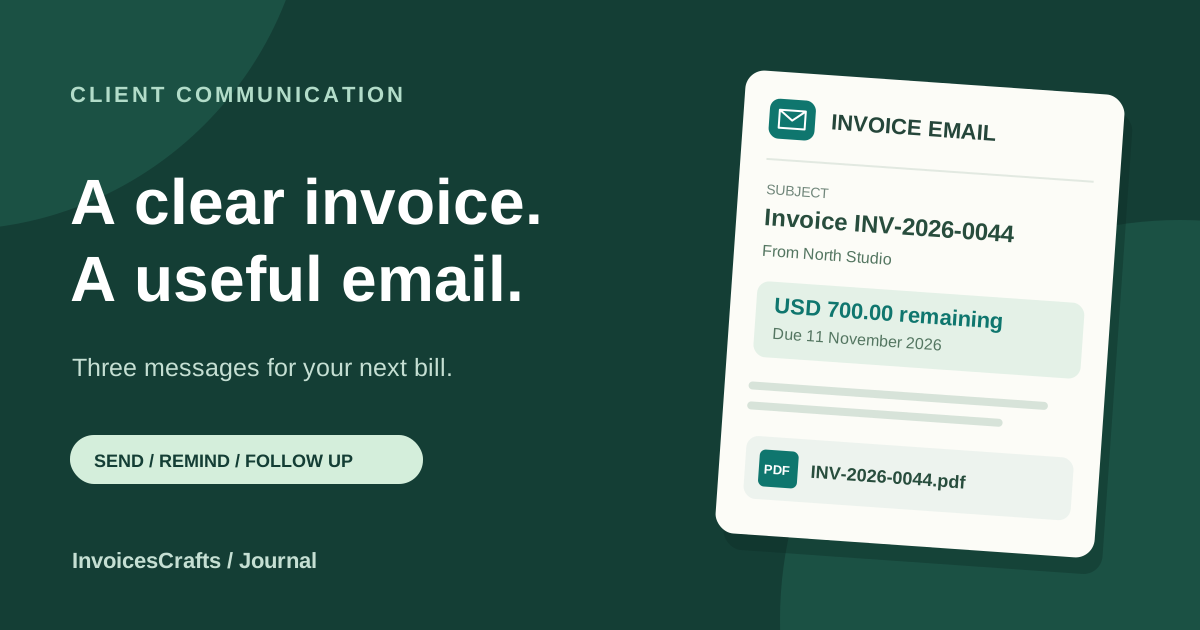
A fictional project with an agreed invoice total of USD 900 and a USD 200 deposit already received. The email requests only the USD 700 still outstanding.
- Subject
- Invoice INV-2026-0044 from North Studio — October website updates
- Attachment
- INV-2026-0044.pdf
- Work covered
- Website updates delivered in October 2026
- Invoice total
- USD 900.00
- Deposit already received
- USD 200.00
- Amount requested in the email
- USD 700.00, matching the PDF's remaining balance
- Agreed due date
- 11 November 2026
- Payment reference
- INV-2026-0044
Common questions
What should I write in an email when sending an invoice?
Identify the work or billing period, mention the attached invoice and its number, and state the amount, currency and agreed due date. Point the client to the payment instructions and include a contact for billing questions.
What is a good subject line for an invoice email?
Use Invoice [Invoice number] from [Your business name], adding the project or service period if useful. A visible invoice reference helps the client search for the document and match later messages to it.
Can I email an invoice made in InvoicesCrafts?
Yes. Create the invoice, use the template's print or PDF action to save it, and attach the saved PDF in your own email app. Open the attachment before sending and check that it matches the invoice you intend to share.
How do I politely follow up on an unpaid invoice?
Check recent payments, then reference the existing invoice number, due date and remaining balance. Attach the invoice again and ask for an expected payment date or details of any billing issue. Update your records before sending another reminder.