01
Know what needs attention the moment you open it.
Your dashboard puts pending money, overdue invoices, recent payments, customers, and unfinished drafts in one readable view.
Open the workspace →Free international invoice generator
Build localized invoices with the right currency, GST, VAT or sales tax fields. Save drafts, reuse customer details, track unpaid balances and export a clean PDF—free, without trial limits.
Your data stays private and secure. You control what is saved and synced.
See the complete workflow
Select a billing country and InvoicesCrafts automatically applies its default currency, local number and date formatting, relevant tax terminology, business identifiers and print layout.
Open the international invoice generator →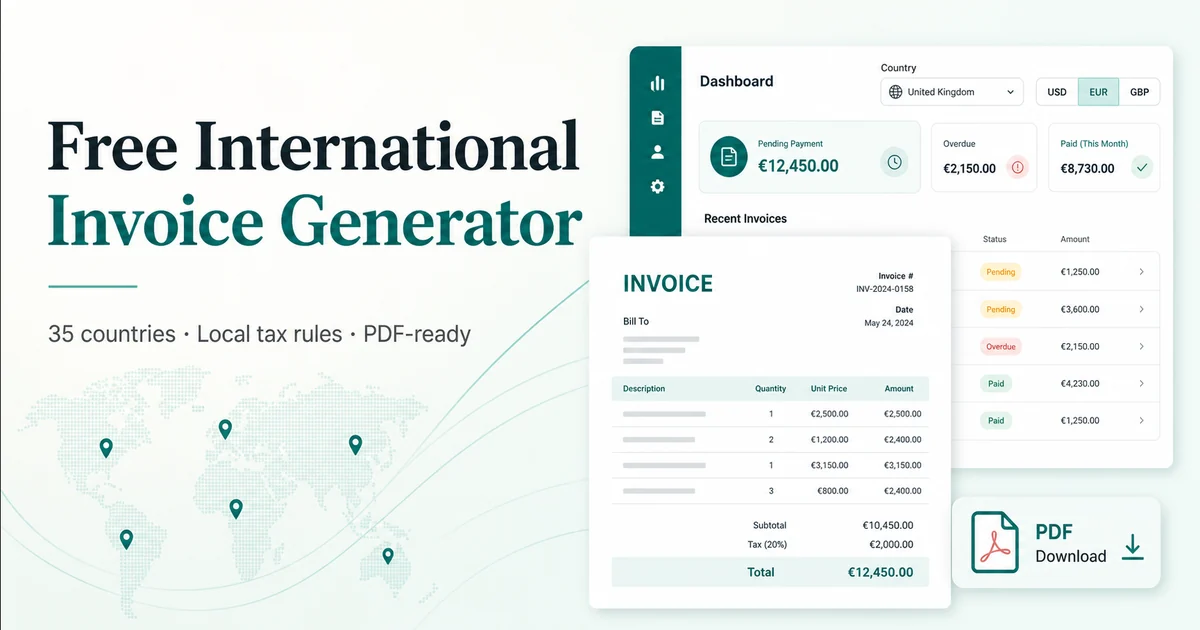
Localized invoicing for
A better billing workflow
InvoicesCrafts keeps the billing details underneath a clear, calm interface.
Your dashboard puts pending money, overdue invoices, recent payments, customers, and unfinished drafts in one readable view.
Open the workspace →Save customer details once, reuse them while creating, and open a complete invoice history whenever you need it.
Save and close a draft, find it in the workspace, then resume the exact invoice later.
How it works
Reuse saved billing details or keep the invoice as a one-time sale.
Use payment-term presets, automatic totals, and a readiness check that catches missing essentials.
Choose a layout and color palette, add delivery details, your logo, and an authorized signature.
Save a clean PDF, record money received, and always know what is still pending.
Document library
Invoices, quotes, receipts, orders, and tax-ready documents—all in the same familiar builder.
Local rules, global reach
Country selection changes the invoice instead of forcing every business into one tax system.
Create USD invoices with optional state and local sales tax. GST fields stay hidden.
Create a US invoiceUse GSTIN, HSN/SAC, place of supply, reverse charge and CGST/SGST or IGST.
Create a GST invoiceUse localized VAT rates, VAT IDs, supply dates, reverse charge and local currencies.
Create a VAT invoiceSelect GST, HST, PST or QST treatment based on the province or territory of supply.
Create a Canadian invoiceCommon questions
Yes. Choose your billing country, use its default currency and tax system, then select another supported currency when the commercial agreement requires it.
Yes. Create unlimited documents without a credit card, subscription or watermark.
Yes. Supported profiles include Indian GST, UK and EU VAT, Australian and Singapore GST, Canadian GST/HST/PST/QST, UAE and Saudi VAT, and optional US sales tax. Review the tax treatment for your transaction before sending the invoice.
Yes. Use the template's print or PDF action and choose Save as PDF in your browser's print dialog. Templates use Letter formatting for the United States and Canada and A4 formatting for other supported countries.
Yes. Drafts auto-save on the device, and signed-in users can save, close and resume standard invoices from the workspace.
Yes. These details are optional, saved with the draft, and included in the finished printable invoice when you add them.
You can start creating an invoice as a guest. Sign in to manage saved standard invoices and customers in the account workspace. Guest drafts stay in the browser where you created them.
Invoicing handbook
Practical guides with clear answers, worked examples and checklists for your next invoice.
From the journal
Freelance work, clear payment details and a few useful checks before you send.
Recent work
Invoice details stay saved while you work, so you can close the page and continue later.
Ready when you are
Unlimited documents, clean PDFs, no credit card, and no watermark.